


OSHA NIOSH Heat Safety Tool
3.1287.00 Reviews
App Specs
- Version
- 3.5
- Updated On
- License
- Free
- Downloads
- 100,000+
- Developer
- Centers for Disease Control and Prevention
- Categories
- Weather
- Platform
- Android
Screenshots

 Analysis by AppCompare
I treat a heat-safety app differently from a general weather app: its value is not just in showing a number, but in helping me decide whether an outdoor plan needs to change. The OSHA NIOSH Heat Safety Tool is a free weather app from the Centers for Disease Control and Prevention, built around heat index awareness and worksite guidance. That focused purpose makes it most useful when heat is a practical safety concern, not when I want a full picture of the day’s weather.
Its institutional developer gives the tool a clear public-safety context, but I still judge it by what I can actually use on screen. It is rated for Everyone, has an average rating of 3.1 from around 500 ratings, and has been installed over 100,000 times. Those figures offer a little context about its audience, not proof that it will suit every phone or work routine. I would approach it as a focused aid for heat decisions rather than a substitute for a supervisor’s safety plan or medical advice.
A focused role rather than an all-purpose forecast
Most weather apps are designed to answer broad questions: whether it may rain, what the temperature will be, or how conditions might change across a week. This tool has a narrower job. It calculates heat index and connects the resulting risk level with worksite recommendations, so its strongest use is helping people pause and consider how heat should affect outdoor activity.
That distinction matters in practice. If I am choosing what time to take a walk, a broad forecast may be enough to compare the day’s weather. If I am coordinating physical work outdoors, I want heat-related guidance to be more prominent than a general forecast summary. The trade-off is that a specialized tool should not be expected to replace a conventional forecast for rain, wind, or other planning needs. I would keep using my usual weather source for those details and use this one for heat-focused decisions.
Getting Started with the App
First things first, downloading the OSHA NIOSH Heat Safety Tool is a breeze. Available on both Android and iOS, this app is free of charge and doesn’t require much space. Once you fire it up, the user interface is pretty straightforward, which I totally appreciate. There’s no fuss or unnecessary frills – just a clean interface ready to get to work.
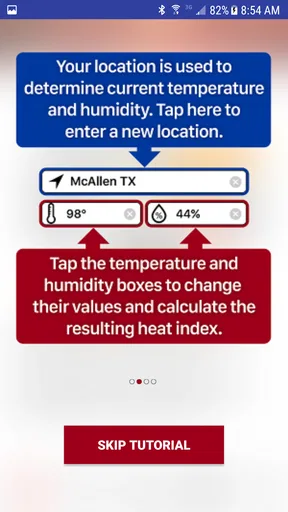
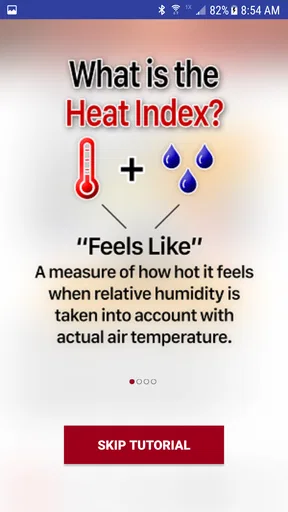
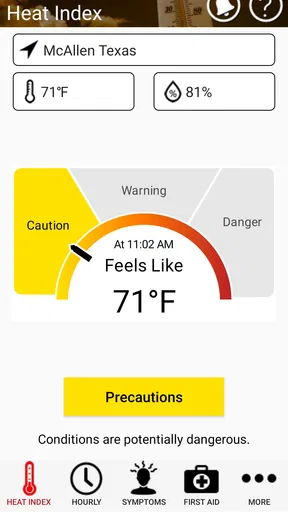
The main screen greets you with the current temperature and heat index, pulling data from your location. And for those who aren’t familiar with the heat index, it’s basically what the temperature feels like to the human body when humidity is factored in. So, it’s not just about how hot it is, but how hot it feels. Trust me, this distinction is crucial on those sticky summer days!
Using the reading to make a plan
A useful habit is to check the heat information before leaving for a job, practice, or outdoor errand, then check again when conditions have had time to change. I would not treat one glance in the morning as a promise that the afternoon will be comfortable. The hourly view is more useful when I am deciding whether to shift a strenuous task earlier, take a longer break, or postpone an activity.
Worth Reading Before You Choose

EA SPORTS FC Mobile 26 Is a Bigger Football Game, but It Takes Time

Flipboard Shows What News Apps Must Do Beyond the Feed

Switching to Android Auto Means Rethinking Your Driving Routine

Google Calendar Makes a Crowded Week Easier to Manage

Ludo King Makes the Most of the Minutes Between Plans

Baby Panda World Brings Quick Play to Modern Phones, but Its Game Library Feels Busy
For a realistic example, imagine I am helping with yard work on a humid afternoon. A standard temperature alone might make the day seem manageable, while the heat index gives me a better reason to pace the work and plan shade and water breaks. If the app’s risk guidance suggests extra caution, I can use that as a prompt to reassess the plan rather than pressing on just because the task is familiar. That is a practical benefit: it turns a weather check into a moment to make a safer choice.
For work crews, I would use the app as a conversation starter, not as the entire heat-safety procedure. A supervisor can check conditions while organizing the day, then communicate the relevant precautions and make decisions that account for the actual job and workers. The app can support that routine, but it cannot observe someone’s condition or decide when a person needs help. Heat precautions still need to be taken seriously even when a screen looks reassuring.
Features That Stand Out
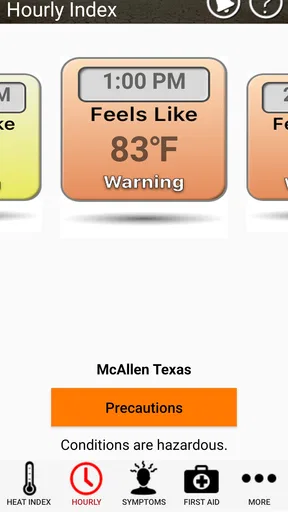
One of the features I found super useful is the hourly forecast. It gives you a breakdown, hour by hour, of what to expect in terms of heat and humidity. This is especially handy if you’re planning an outdoor activity and want to avoid the peak heat times.
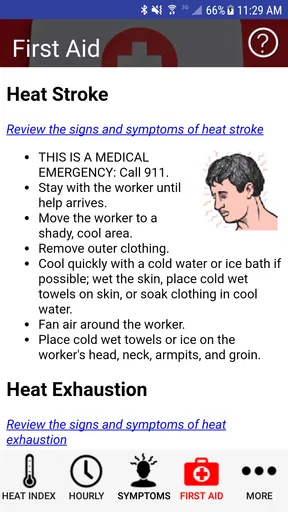
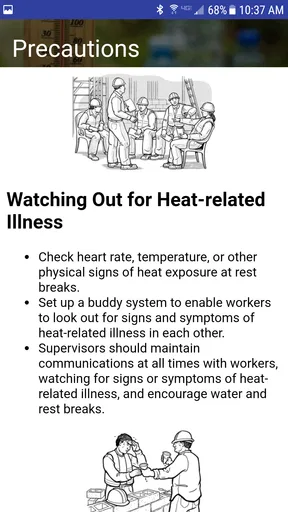
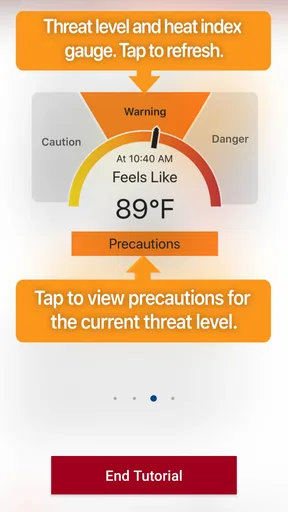
But it doesn’t stop there. The app also provides precautionary recommendations tailored to the heat index level. Whether it’s reminding you to drink more water, take breaks in the shade, or wear light clothing, these tips are golden. I mean, we all know we should do these things, but having a reminder that pops up right when you need it is a game-changer.
What the hourly view can—and cannot—settle
I find the hourly breakdown more useful for comparing parts of the day than for treating a single hour as a perfect safety boundary. When planning exercise, for example, I can compare a morning session with an afternoon one and choose the less demanding window. For outdoor work, I can use the same comparison to plan the order of tasks, leaving the more strenuous part for a time that looks more manageable where possible.
There is an important limit to that approach: a forecast is a planning aid, not a guarantee of conditions at every spot. A shaded yard, an exposed roof, and a paved work area can feel very different even when they share a general location reading. I would pair the app’s guidance with what is happening on site and with the people doing the work. If the conditions feel worse than expected, the practical response is to take that seriously rather than arguing with a forecast.
The recommendations are most helpful when I treat them as prompts I can act on. Before leaving, I can make sure water and suitable clothing are part of the plan; once outside, I can deliberately schedule rest in shade instead of waiting until I feel worn down. That small shift—from reacting late to preparing early—is where a reminder can earn its place on a phone.
Who Will Benefit Most?
While this app is undoubtedly a lifesaver for anyone spending time outdoors, it’s especially beneficial for workers in industries like construction, landscaping, and agriculture. Employers and safety managers can use it to plan work schedules and ensure their teams stay safe. After all, nobody wants a heat-related illness on their watch.
And let’s not forget about athletes and outdoor enthusiasts. Whether you’re training for a marathon or just enjoying a day at the park, keeping track of the heat index can help you stay healthy and hydrated.
Who may prefer another tool
I would recommend this app most to people who repeatedly make decisions about outdoor work or activity and want a heat-specific reference close at hand. It can also be useful for someone who does not normally think about humidity, but wants a clear reason to adjust a hot-weather routine. The focused design is a strength for those readers because it keeps attention on heat rather than burying safety information among unrelated forecast details.
It is less suitable as the only weather app on a phone. If I need a broad forecast for travel, rain planning, or a detailed look at changing conditions, I would turn to a general weather service as well. Someone who rarely spends time outdoors may not need a dedicated heat tool every day, though it can still be handy during a heat spell. The choice depends on the decision at hand: this app is for heat awareness, not a complete forecast or a personal health assessment.
Trust, controls, and moments to be thoughtful
Because the app uses location to show conditions for the place where I am, location is the most relevant privacy consideration in everyday use. I would choose the location option that fits my needs and review the phone’s permission controls rather than granting access casually. If I only need to check conditions for a planned outing, I can consider whether entering or selecting a place manually is available in the version I use; I would not assume that any particular permission setting or location workflow is offered without seeing it on my device.
I also avoid treating a safety app as a place to enter personal health details unless the app clearly asks for them and explains why. Heat guidance can inform a plan without requiring me to share more than is necessary for the task. Before relying on any app in a workplace, I would check its current permissions on my own phone and make sure its role is clear to the people using it. That is a sensible habit for any location-aware tool, especially one used during work.
The app’s simple purpose is helpful here: I can focus on the heat reading and recommendations, then make my own decisions about what to do. My agency does not come from handing responsibility to a screen. It comes from using the information to plan breaks, adjust timing, and speak up when conditions or how I feel call for a change.
Performance and Reliability
Throughout my time using the app, I found it to be highly reliable. The data updates frequently, and I didn’t experience any crashes or glitches. It’s also worth noting that it uses minimal battery power, which is always a plus when you’re out and about.
The only hiccup I encountered was occasional inaccuracy in location detection, especially in remote areas. But, to be fair, this is a common issue with many apps that rely on GPS, and it didn’t detract from the overall experience.
Version, compatibility, and practical expectations
The app’s current version is 3.5, and it requires Android 8.0 or later. I would check that requirement before trying to install it on an older Android device. It is also available on iOS, so the tool can fit into a mixed-device household or workplace, though the experience may differ between platforms.
Location deserves a quick check when a reading seems out of step with the conditions around me. In a remote area or a place where location detection is unreliable, I would not make a high-stakes decision from a questionable location result. I would verify that the app is using the intended place, compare with local conditions, and use a reliable on-site judgement. A heat tool is most valuable when the input makes sense; a misleading location can undermine an otherwise useful reminder.
In a work setting, I would also decide in advance who checks the app and how the information gets communicated. If each person looks at a different moment, the crew may be working from different assumptions. A simple shared routine—checking before the shift and revisiting the plan as the day changes—makes the tool more useful without pretending that the app itself manages the job.
Final Thoughts
So, is the OSHA NIOSH Heat Safety Tool worth downloading? Absolutely. It’s not just another weather app; it’s a practical tool designed with safety in mind. Whether you’re working under the sun or just trying to enjoy a summer day without melting, this app has your back.
In conclusion, if you’re looking to beat the heat this summer and stay informed, give this app a try. It’s user-friendly, informative, and most importantly, it could help prevent heat-related illnesses. And hey, anything that stops me from turning into a puddle of sweat is a winner in my book!
My recommendation is enthusiastic but measured: I would keep it as a dedicated heat check if outdoor work, training, or regular summer activity makes those decisions part of my routine. I would not ask it to replace a complete weather forecast, workplace procedures, or attention to how people are actually coping. Used for its specific purpose—and paired with sensible judgement—it is a straightforward free tool that can help turn heat awareness into a more deliberate plan.
Pros
- User-friendly interface for quick access.
- Real-time heat index and risk updates.
- Custom alerts for extreme conditions.
- Detailed safety tips for various scenarios.
- Supports multiple languages for accessibility.
Cons
- Requires internet for real-time updates.
- Limited customization for alert settings.
- No offline mode for remote areas.
- Battery usage can be high with GPS on.
- Lacks integration with wearable devices.
FAQs for OSHA NIOSH Heat Safety Tool
What is the OSHA NIOSH Heat Safety Tool app?
The OSHA NIOSH Heat Safety Tool app is designed to help outdoor workers, supervisors, and safety professionals calculate the heat index and determine the potential risk of heat-related illnesses. It provides real-time information and safety recommendations to prevent heat-related incidents in the workplace, ensuring worker safety during hot weather conditions.
How does the app calculate the heat index?
The app uses your current location data to access real-time weather information and calculate the heat index. It combines temperature and humidity to provide an accurate measure of how hot it feels, offering tailored safety recommendations based on the calculated risk level. This helps users take necessary precautions to avoid heat stress.
What features does the OSHA NIOSH Heat Safety Tool offer?
The app offers features such as real-time heat index calculations, hourly forecasts, and safety precautions tailored to the current risk level. Users can also access educational materials on heat safety, learn about symptoms of heat-related illnesses, and receive reminders for hydration and rest breaks. It’s a comprehensive tool for heat safety management.
Is the OSHA NIOSH Heat Safety Tool app user-friendly?
Yes, the app is designed with a user-friendly interface, making it easy for users to navigate and access vital information quickly. The straightforward layout ensures that even those with minimal technical skills can effectively use the app to monitor heat risks and implement safety measures. It’s an essential tool for anyone working in hot environments.
Can the app be used offline?
While the app requires an internet connection to update real-time weather data and calculate the heat index accurately, some features like educational materials and general safety recommendations can be accessed offline. This ensures that users can still review important information even when connectivity is limited, although up-to-date risk assessments will require a connection.


